Buying

Orders from the budget, bills checked against them.

Suppliers and trades

The suppliers and trades you order from: contacts, payment terms, their documents (licences, insurance) with expiry dates that warn you, quotes from them, and every order and bill. Download them to Excel, change them there and bring them back (or fill the blank template).

Why it helps: No trade on site with an expired insurance certificate.

In Better Reno: Side menu → Suppliers

Better Reno takes care of

  • Warns before a licence or insurance runs out.
  • Keeps every order, bill and quote from the supplier on their page.
  • Keeps their documents with them (in your own Drive once it is connected).
  • Takes your suppliers out to Excel and back in, showing each change before it is made.
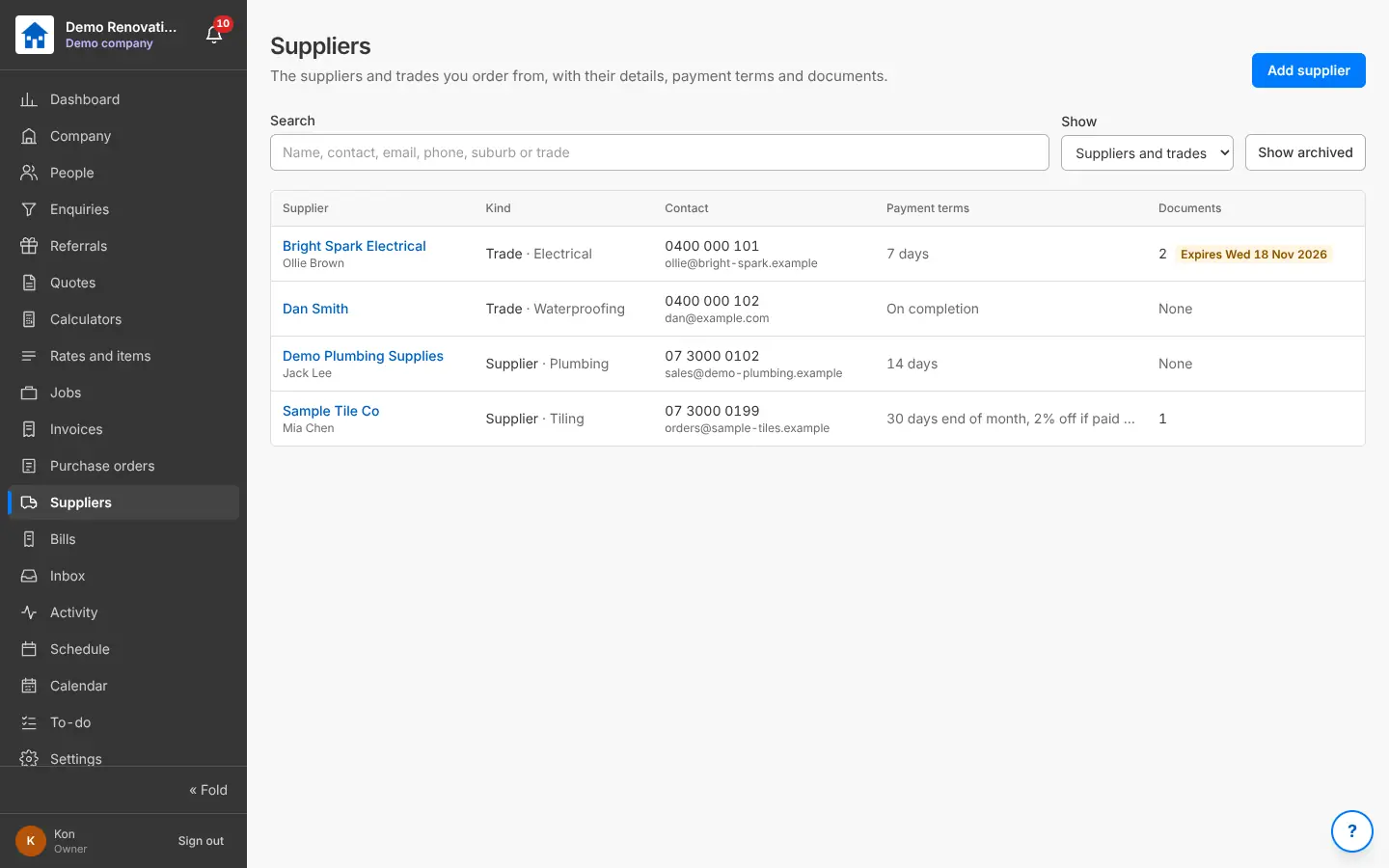
Suppliers and trades with contacts, payment terms and documents
Suppliers and trades, with documents that expire.

Purchase orders

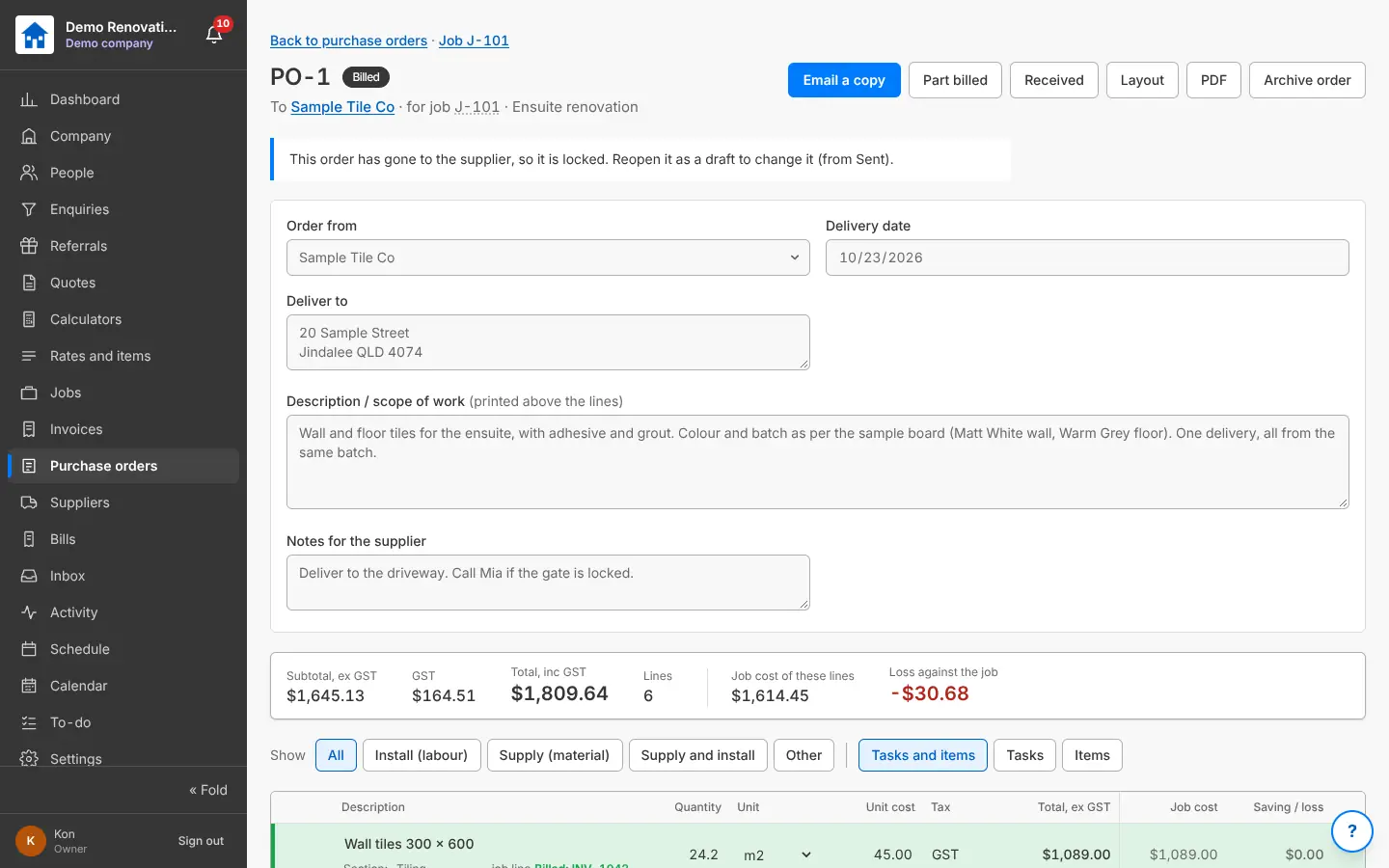
Raise an order to a supplier or trade straight from the job’s budget lines: the quantities and expected costs come along. Delivery date and address, scope, notes; the PDF; sent, received, billed. The saving or loss against the job shows as you go.

Why it helps: Order what you quoted, and see straight away when it costs more.

In Better Reno: Side menu → Purchase orders · a job → Purchase orders

Better Reno takes care of

  • Fills the quantities and expected costs from the job’s budget lines.
  • Shows straight away when an order costs more than the budget.
  • Moves the order to part billed and billed as the bills come in.
  • Puts each delivery date on the Calendar.
A purchase order with the supplier, delivery date, scope and lines
An order made from the job’s budget lines.
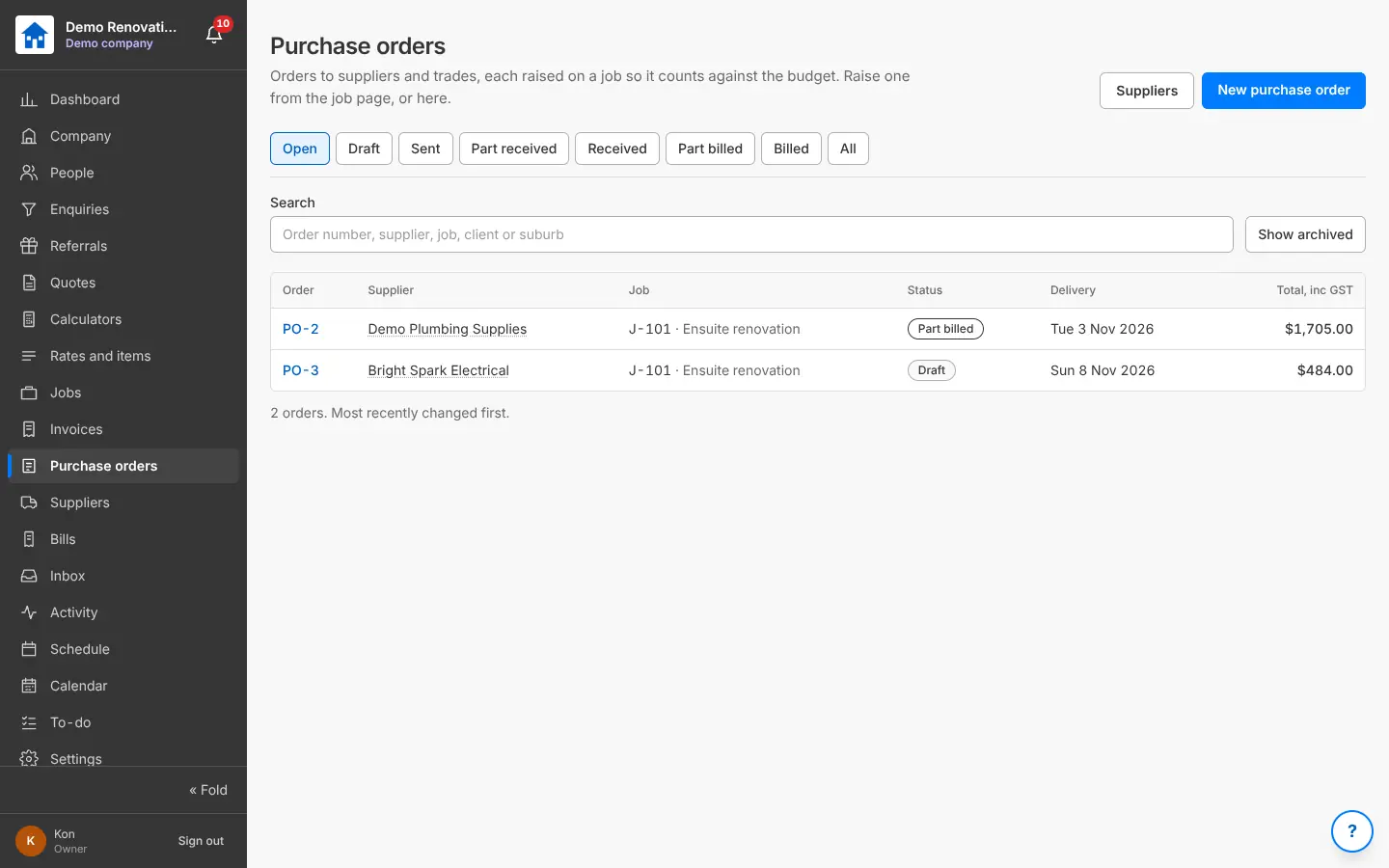
Purchase orders with supplier, job, status and delivery
Purchase orders, each on a job.

Bills

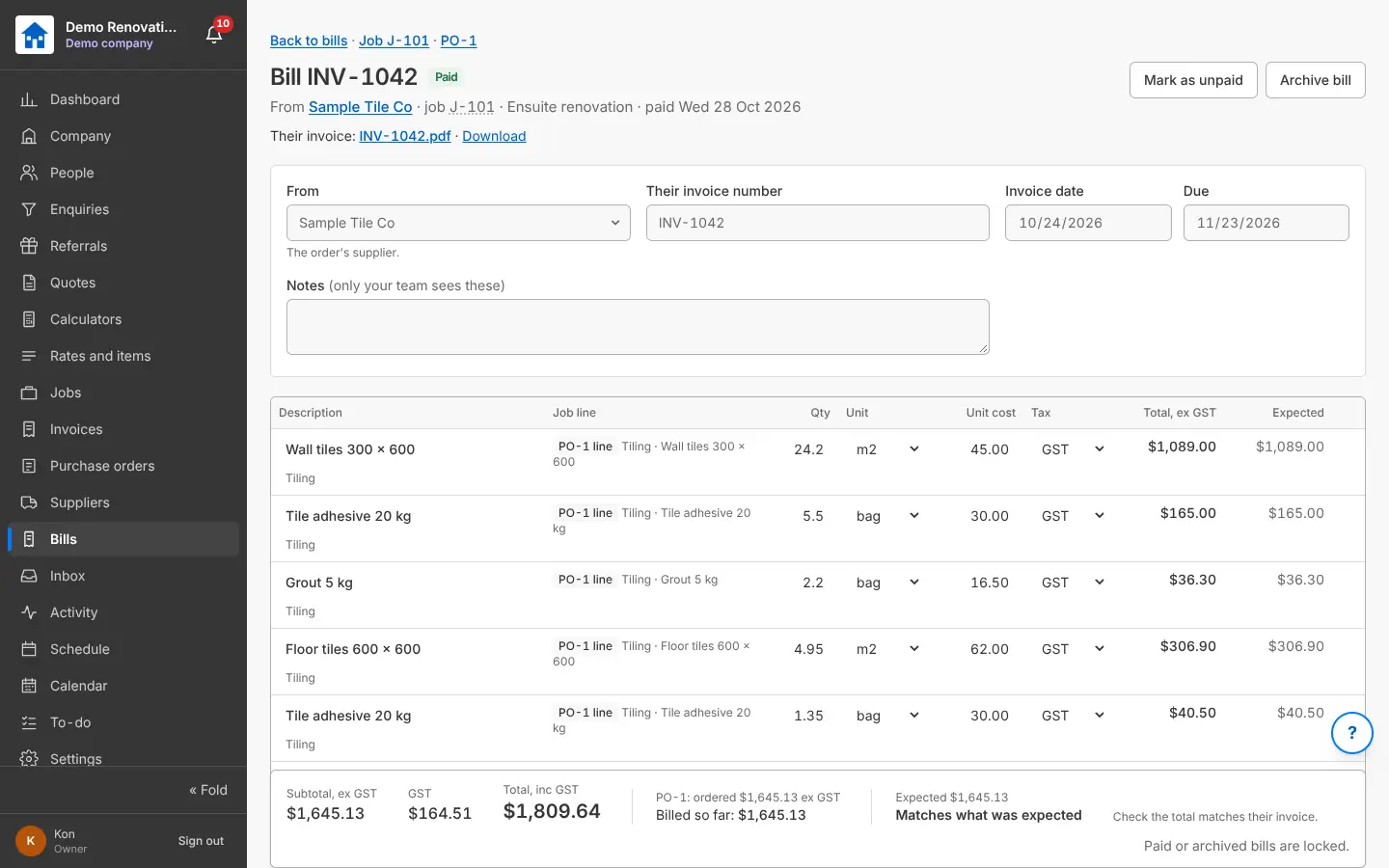
Supplier and trade invoices against the job and the order: each line matched to the order, with what was expected. Unpaid, overdue and paid; the PDF kept with it.

Why it helps: You catch a bill that is more than the order before you pay it.

In Better Reno: Side menu → Bills

Better Reno takes care of

  • Matches each line of the bill to the order and shows what was expected.
  • Shows by how much a bill is over before you pay it.
  • Locks a bill once it is paid.
A bill with its lines matched to the order and the expected cost
A bill: matches what was expected, or shows the difference.
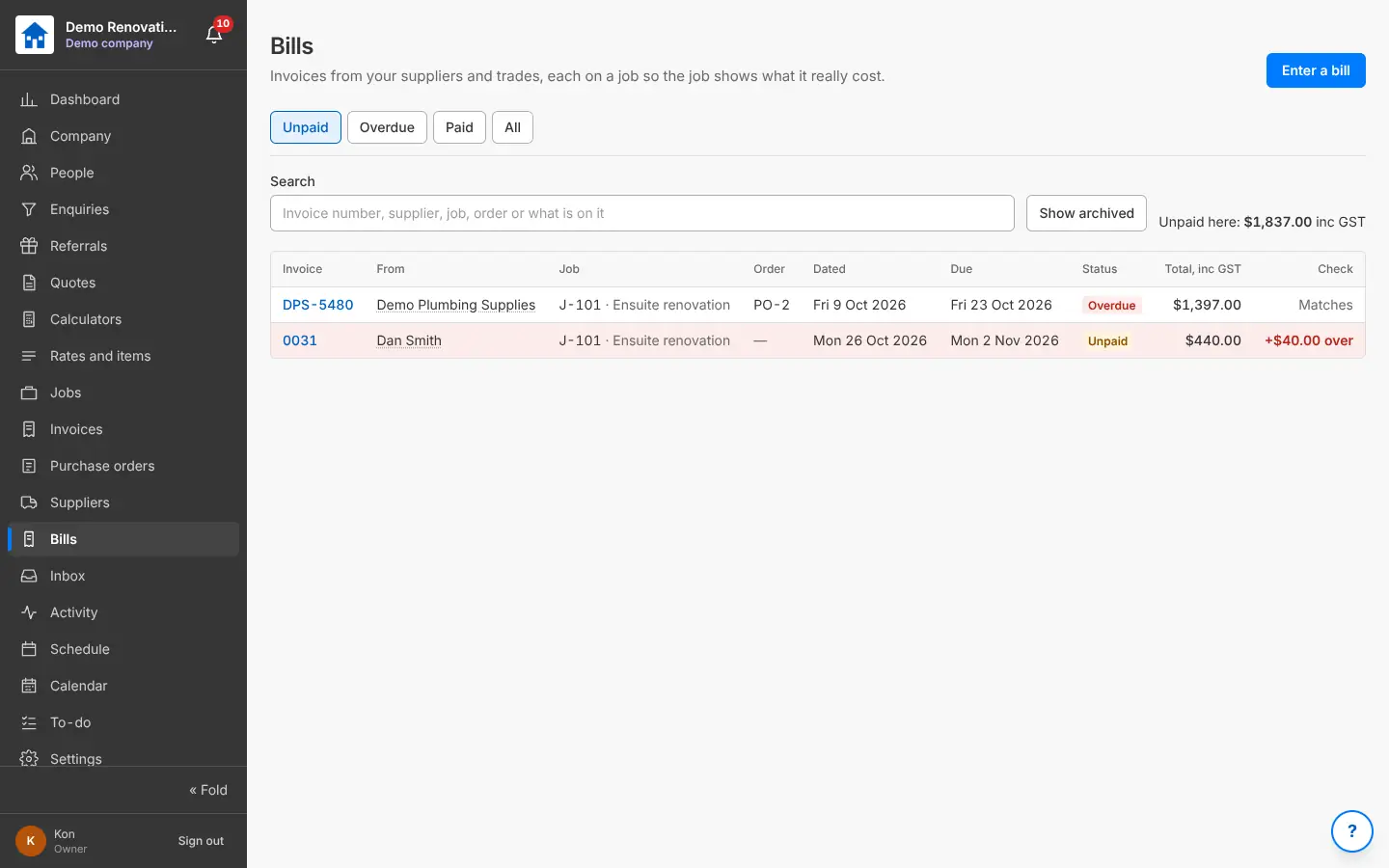
Bills with supplier, job, order, due date and whether they match
Bills checked against the orders.

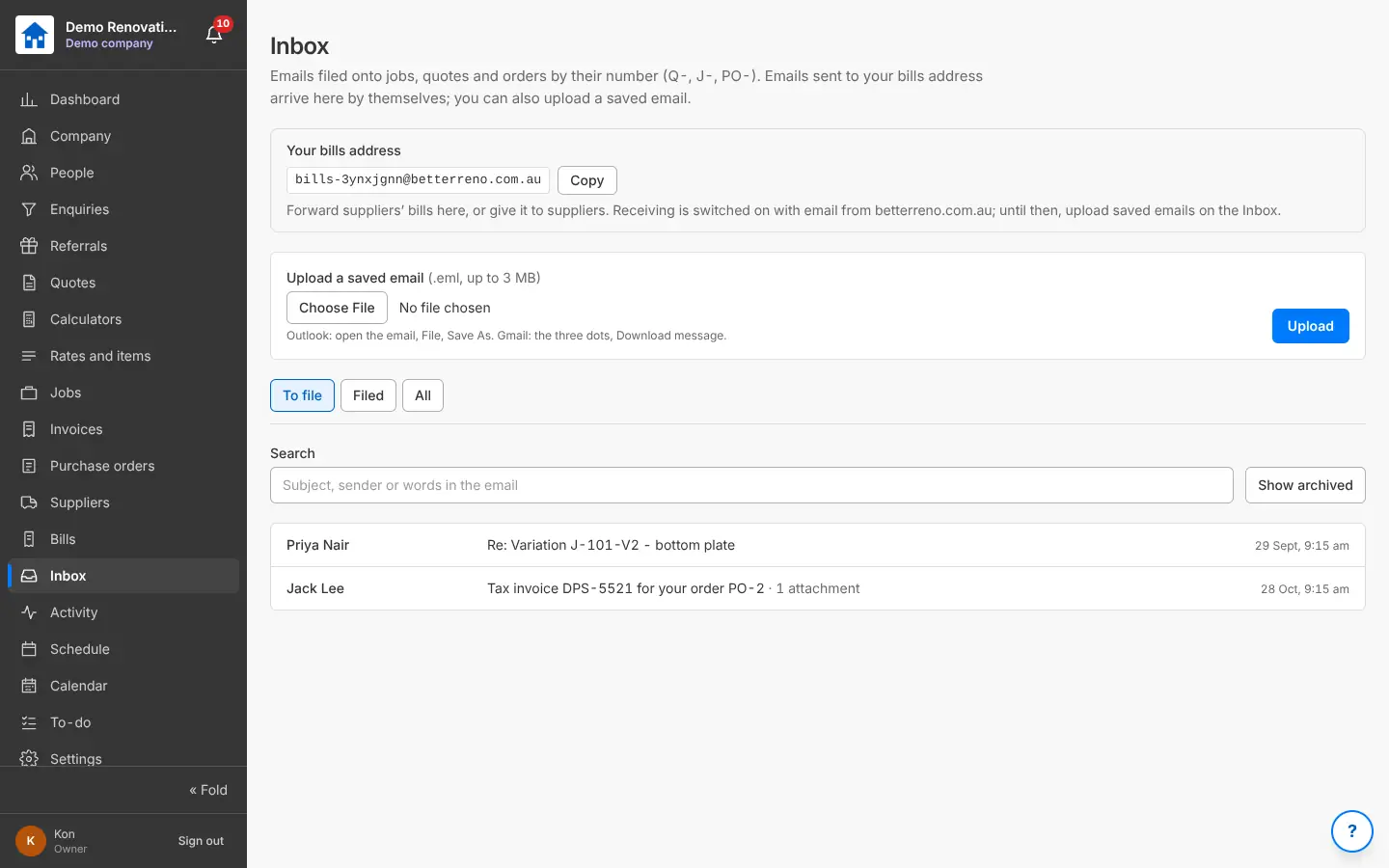
The Inbox and your bills address

Your own bills address to give suppliers: emails sent to it, and saved emails you upload, are filed onto the job, quote or order by the number in them (Q-, J-, PO-), with their attachments. The bills address is read from 5 Nov 2026, with email; until then upload the saved email.

Why it helps: Paperwork lands where it belongs without anyone sorting it.

In Better Reno: Side menu → Inbox

Better Reno takes care of

  • Files an email onto the right job, quote or order by the number in it.
  • Keeps the attachments with it, ready to make the bill from.
  • Gives each company its own bills address that cannot be guessed.
The Inbox with your bills address and emails filed onto jobs and orders
The Inbox and your own bills address.

Would Better Reno suit your business?

Better Reno is used by invited builders for now. Email us about your business and we will set you up with your own company (and a demo to try it on).

Ask for an invite

Opens an email to [email protected]. Nothing is kept on this page.