Clients and sales

From the first phone call to a happy client who sends you their friends.

Enquiries

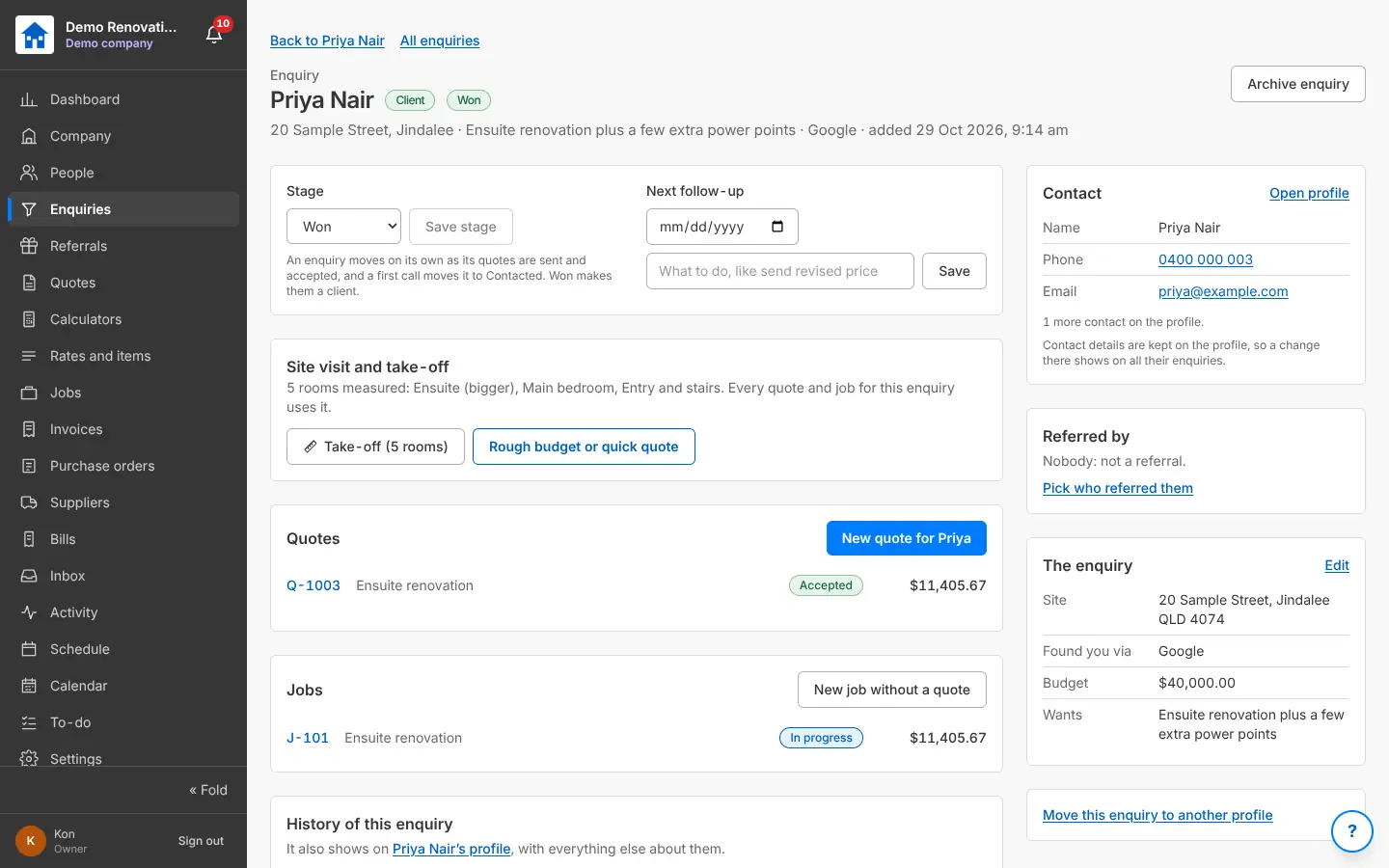
Every job someone asks you about, in one list: who, where, what they want, where they found you, their budget and the next follow-up. Each moves through New, Contacted, Site visit, Quoting, Quote sent, Won or Lost, by itself as quotes go out and come back.

Why it helps: Nothing falls through the cracks: follow-ups due today show on the Dashboard and in the bell.

In Better Reno: Side menu → Enquiries

Guide: “Add your first enquiry” (Guides in the menu, or the ? on the screen)

Better Reno takes care of

  • Moves the stage by itself: Quoting when a quote is started, Quote sent when it goes, Won or Lost when the client answers.
  • Follow-ups due show on the Dashboard, on the Calendar and in the bell, late ones in red.
  • One take-off for the enquiry, used by every quote, variation and job that comes from it.
  • Keeps the whole history of the enquiry: every change, who made it and when.
  • Spots a client you already have from their phone or email, so they are not added twice.
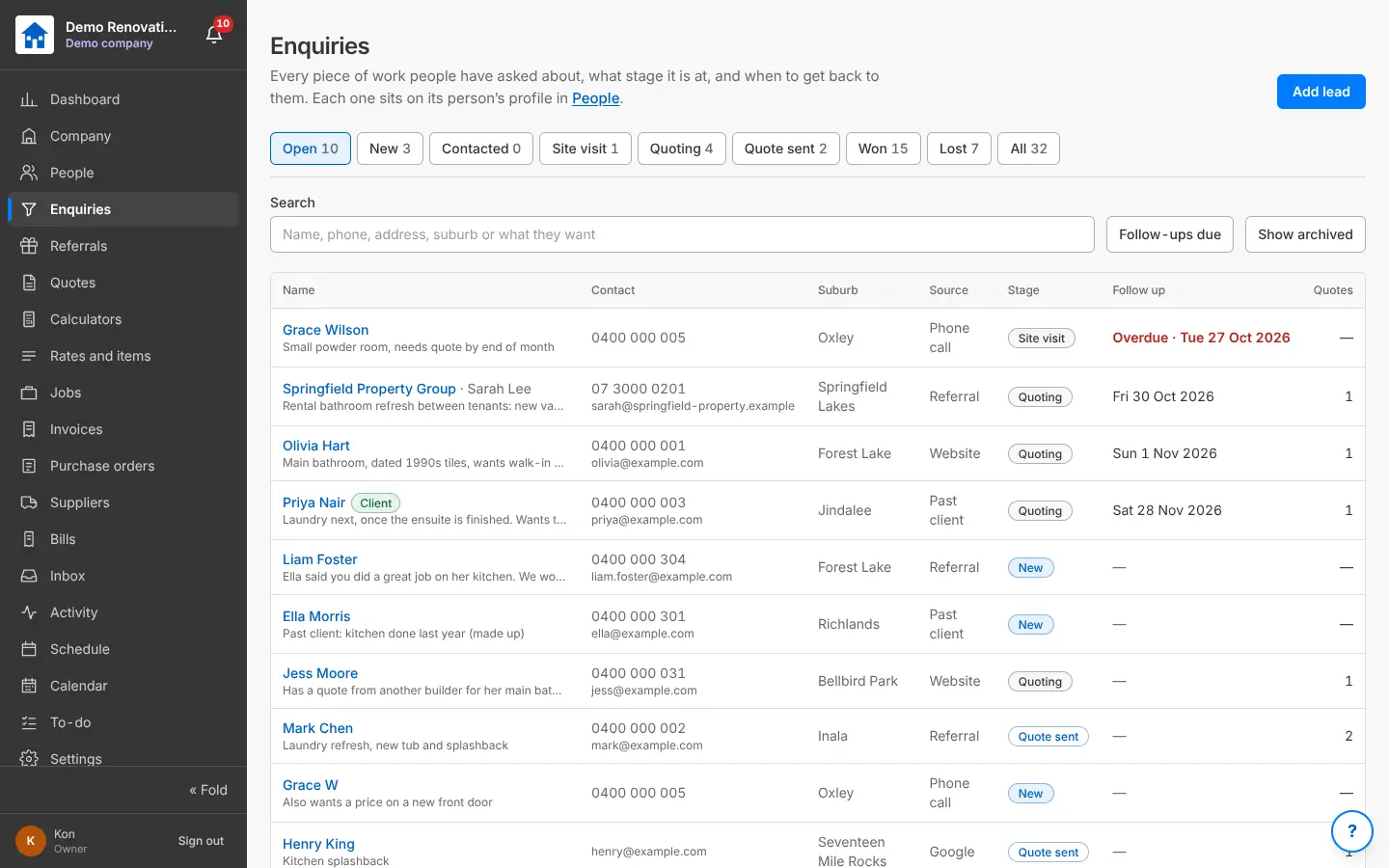
The Enquiries list with stages, follow-up dates and sources
Every enquiry, its stage and when to follow it up.
One enquiry: stage, next follow-up, site visit and take-off, quotes, jobs and the contact
An enquiry: stage, follow-up, take-off, quotes and the job made from it.

People: one profile per client

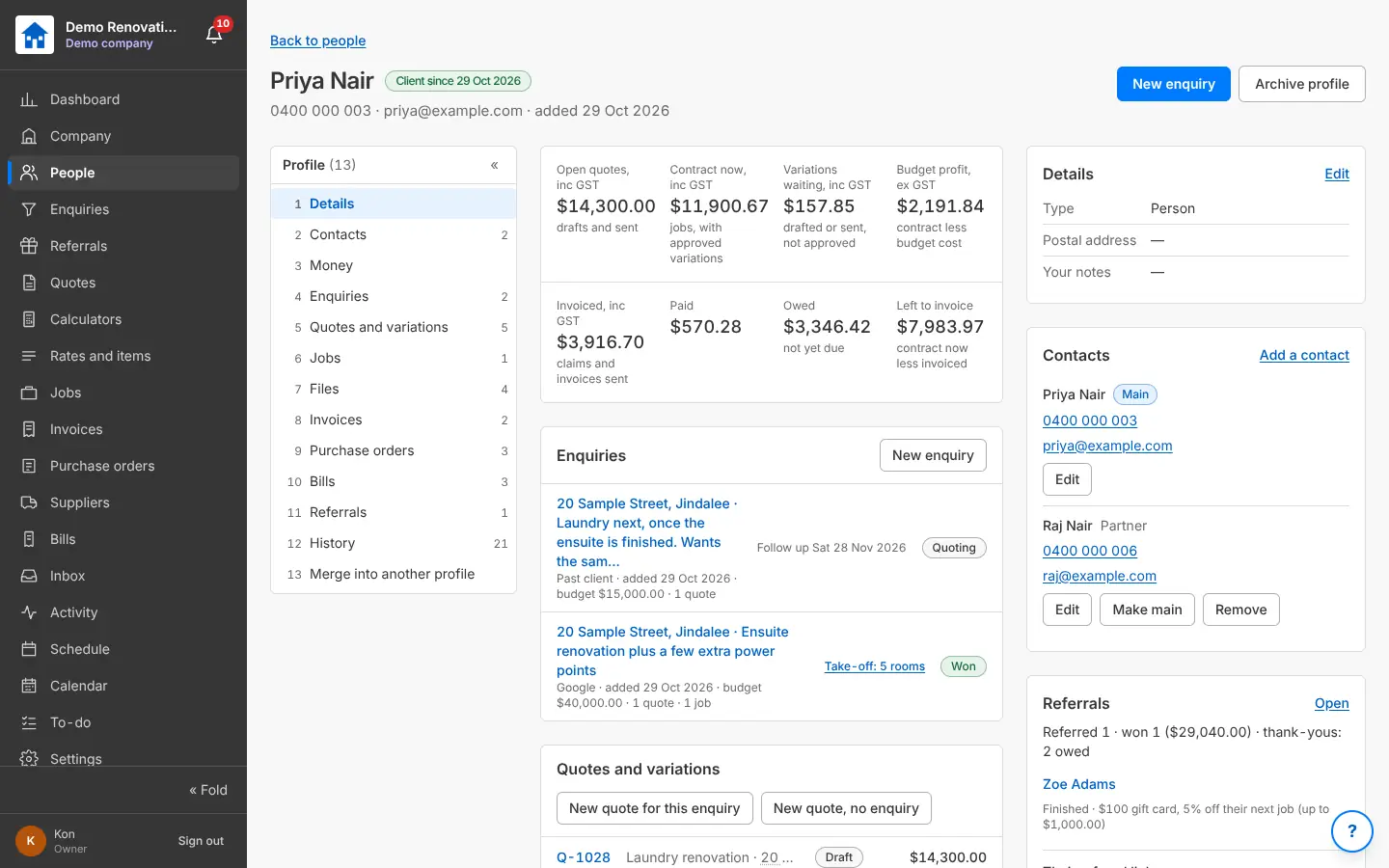
Leads and clients in one place: a person or a business with its contacts, and on their profile every enquiry, quote, variation, job, invoice, file and payment, plus the money (quoted, contract, invoiced, paid, owed) and the whole history. Someone you already have is picked up, not doubled; two profiles can be merged; clients can be brought in from a spreadsheet.

Why it helps: One click from any quote or job to everything you have ever done for that client.

In Better Reno: Side menu → People (names are links everywhere)

Better Reno takes care of

  • Change a client’s name, phone or email once: every draft quote, job and variation for them follows.
  • Adds up their money on the profile: quoted, contract, variations, invoiced, paid, owed and budget profit.
  • Every client and supplier name is a link, everywhere, straight to their profile.
  • Merges two profiles of the same person into one, with everything they had.
  • Brings clients in from a spreadsheet and shows doubles and problems before anything is added.
A client’s profile with money, contacts, enquiries, quotes and referrals
A client’s profile: everything about them on one page.

Clients refer clients

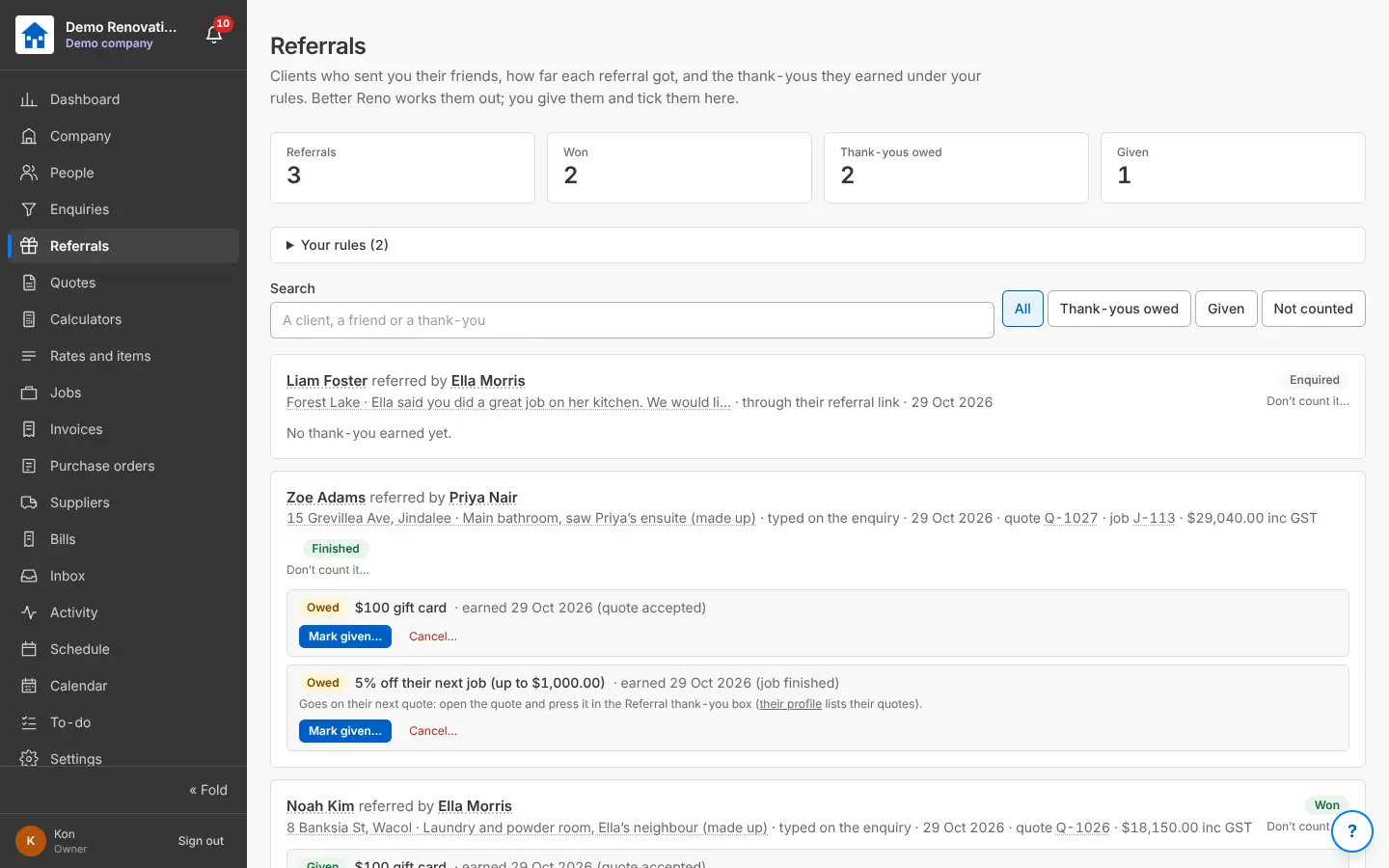
Each client can have their own referral link to send their friends. You write the rules: a thank-you when the friend enquires, accepts a quote, finishes or pays; a gift card, money off their next job or a percentage, with a cap. Better Reno works out what each referral earned; you give it and tick it off, or put it on their next quote.

Why it helps: Word of mouth is how renovators get work: now you can see it and reward it.

In Better Reno: Side menu → Referrals · Settings → Referrals and demo

Guide: “Referrals and thank-yous” (Guides in the menu, or the ? on the screen)

Better Reno takes care of

  • Works out each thank-you under your rules at the moment it is earned (enquired, accepted, finished or paid).
  • Puts a discount thank-you on their next quote as its own line that cannot be changed by mistake.
  • Tells you in the bell when a friend enquires through a link or a thank-you is earned.
  • Keeps robots and floods off the friend’s form.
The Referrals screen: referrals, won, thank-yous owed and given
Who referred whom, how far it got and the thank-yous owed.

The client’s own pages

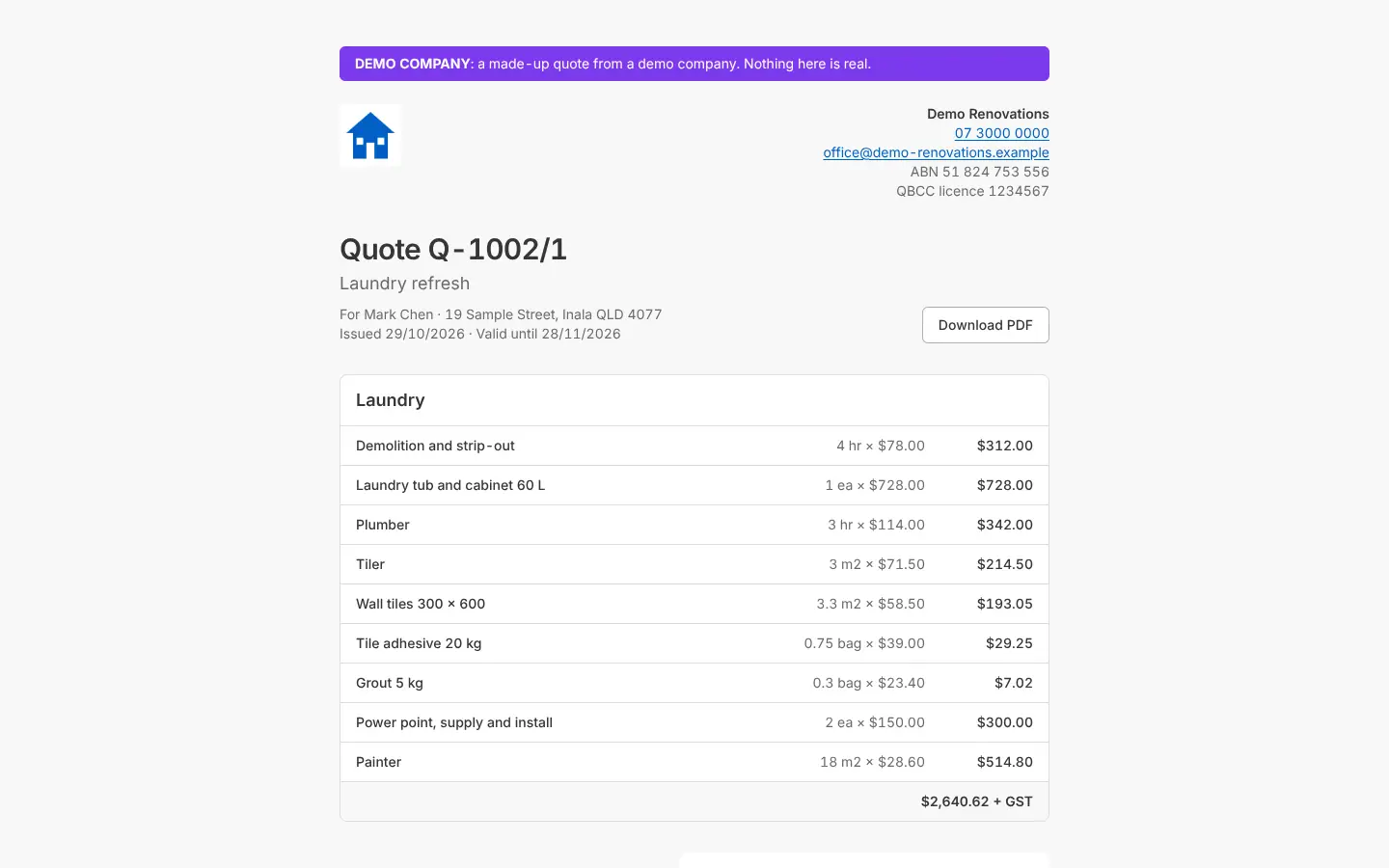
Clients open a link (no login, no app): they read the quote and download the PDF, approve it, decline it or ask for changes; approve their selections line by line; approve the room drawings. Their answers land on the quote or job and in your bell.

Why it helps: Approvals happen on the client’s phone the same evening, with a record of who said yes and when.

In Better Reno: A quote, the selections or the room drawings → Client’s link

Better Reno takes care of

  • An old quote link opens the newest revision, so the client never approves the wrong version.
  • Records who approved, when, and what the total was at that moment.
  • Shows the client the product links and the PC and PS words you ticked, nothing else.
  • Puts every answer in your bell and on the quote, the selections or the drawings.
The client’s quote page with the lines and a Download PDF button
What the client sees from their link: no login, approve on the phone.

Would Better Reno suit your business?

Better Reno is used by invited builders for now. Email us about your business and we will set you up with your own company (and a demo to try it on).

Ask for an invite

Opens an email to [email protected]. Nothing is kept on this page.