Team and safety

Your whole team on it, each seeing what they should.

Logins kept safe

Every login has a password and a code from an authenticator app on the phone, or a fingerprint or Face ID (passkeys). Sign in on a computer by scanning a QR code with your phone. Recovery codes if a phone is lost, and a history of every sign-in.

Why it helps: Your prices and your clients stay yours.

In Better Reno: Sign in · Settings → You → Your login

Better Reno takes care of

  • Asks for the code from the phone (or a fingerprint or Face ID) at every sign-in on a new browser.
  • Signs you in on a computer from your phone, by scanning a QR code.
  • Keeps a history of every sign-in, and recovery codes if a phone is lost.
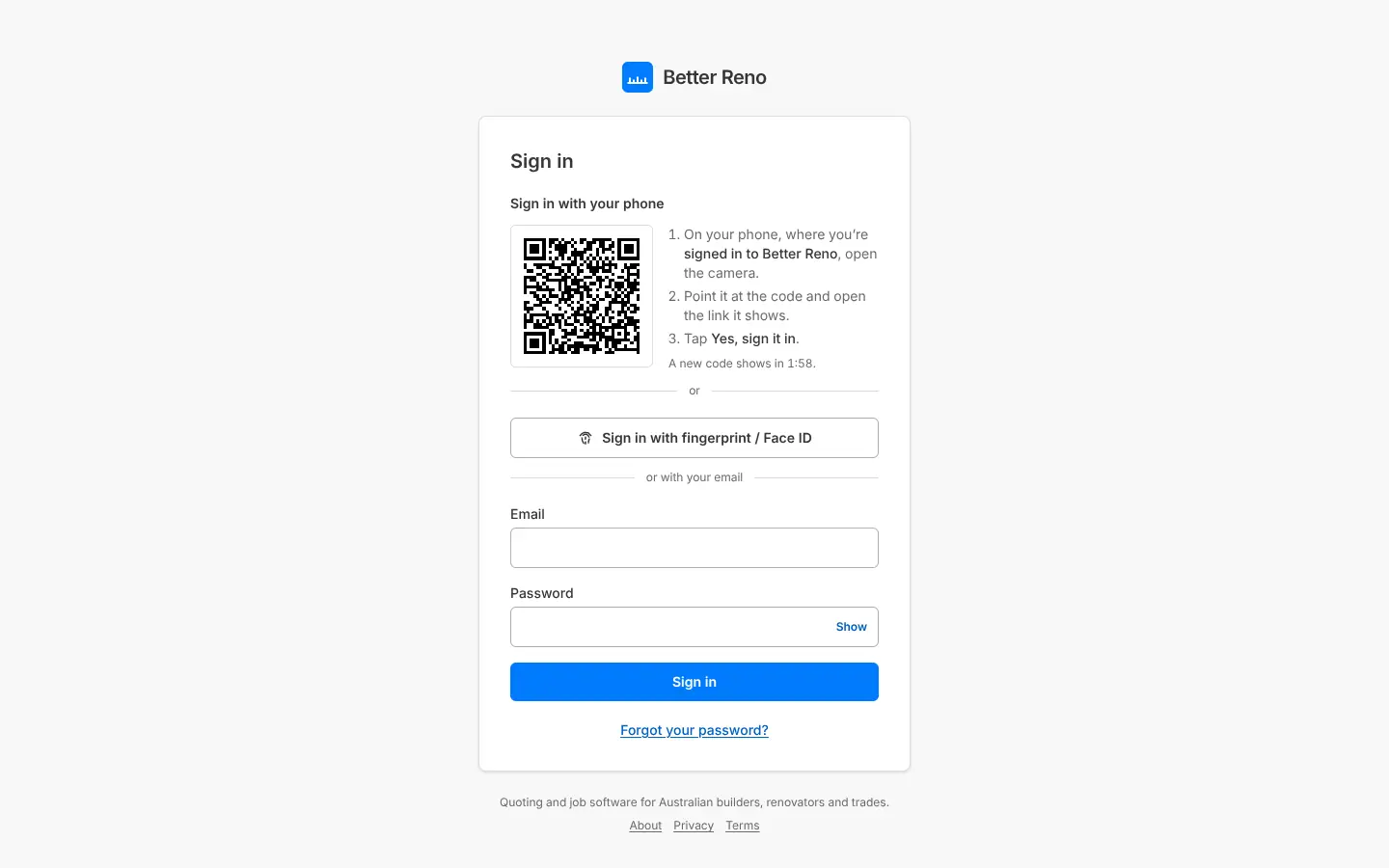
The sign-in page: sign in with your phone (QR code), fingerprint or Face ID, or email
Sign in with your phone, a fingerprint or Face ID.

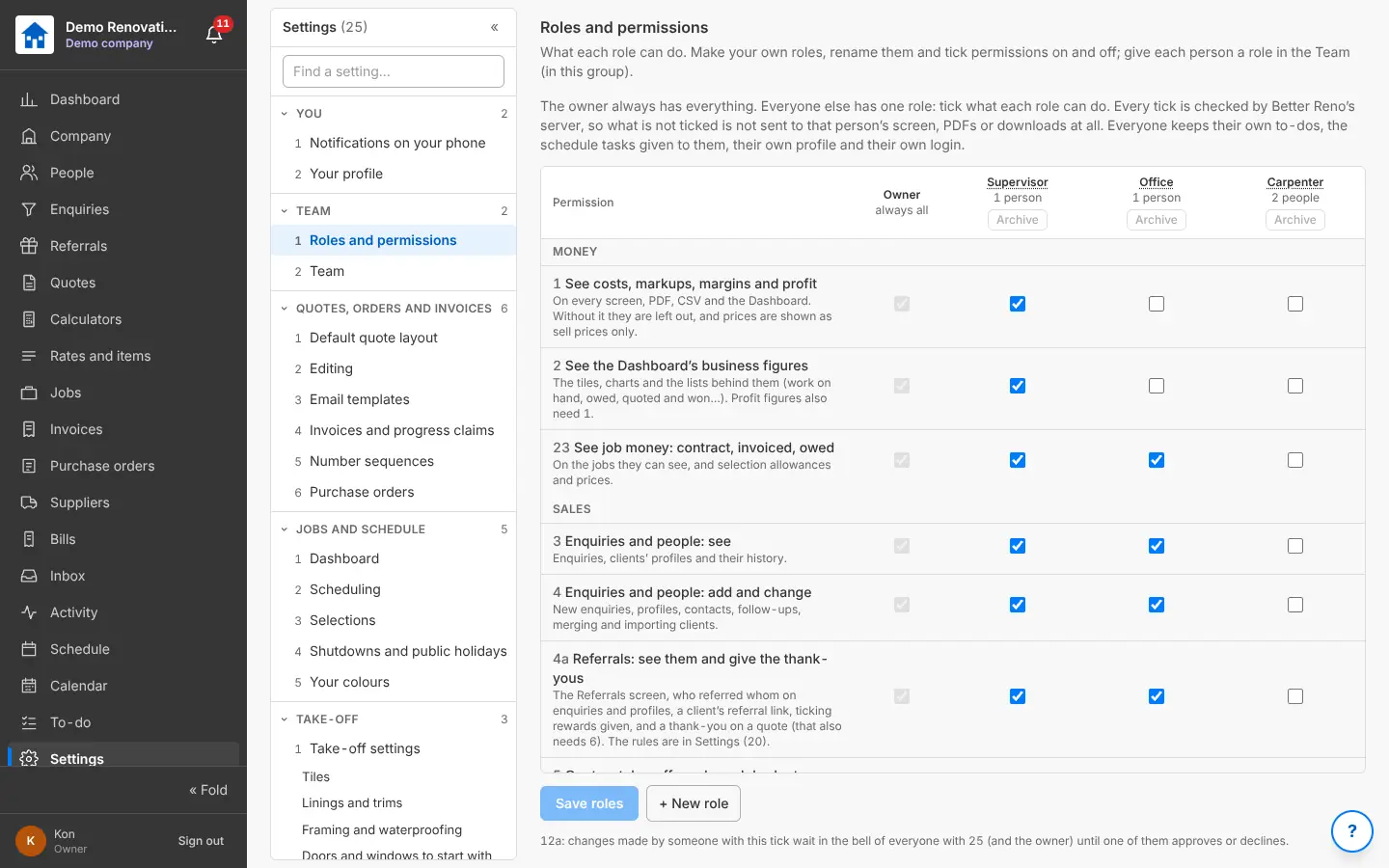
Your own roles and permissions

Make your own roles (Office, Supervisor, Carpenter…) and tick what each can do: see costs and margins, the business figures, enquiries, quotes, jobs, orders, invoices, the schedule and Settings. A carpenter sees only the jobs he is on and never your costs; it is checked on the server, so it is left out of the screens, the PDFs and the downloads alike.

Why it helps: Give the team the app without giving away your margins.

In Better Reno: Settings → Team → Roles and permissions, Team

Better Reno takes care of

  • Checks every permission on the server, not only on the screen.
  • Leaves costs out of everything a role without them gets: screens, PDFs, spreadsheets and downloads.
  • Gives everyone their own login, profile and to-dos.
Roles and permissions: tick what each role can do
Your own roles: tick what each one can do.

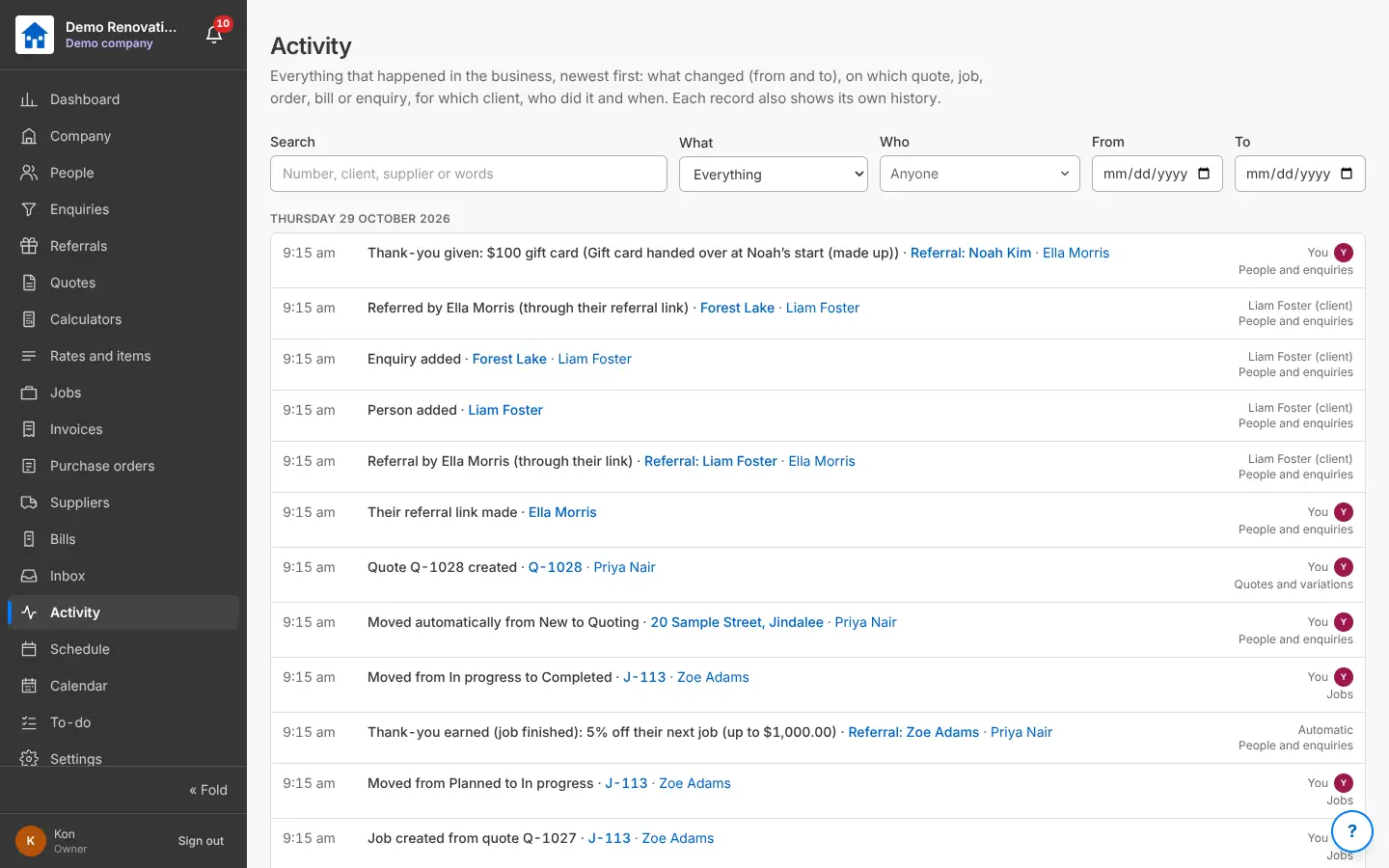
Activity: who did what

Everything that happened in the business, newest first: what changed (from and to), on which quote, job, order, bill or enquiry, for which client, who did it and when. Searched and filtered by what, who and dates; each record also shows its own history.

Why it helps: When a client asks “who changed that?”, you know.

In Better Reno: Side menu → Activity

Better Reno takes care of

  • Records every change by itself: from what, to what, by whom and when.
  • Shows each record’s own history on its page.
  • Searches all of it by words, area, person and dates.
Activity: everything that happened, who did it and when
Activity: who did what, and when.

Your data kept safe

Each company’s data is kept apart from every other company’s by the database itself, on servers in Sydney, with a backup every day. Nothing is ever deleted: things are archived and every change is recorded.

Why it helps: Your prices, your clients and your history are safe, and stay yours.

In Better Reno: Everywhere, by itself

Better Reno takes care of

  • Keeps each company’s data apart from every other company’s in the database itself, not only in the app.
  • Runs on servers in Sydney, with a backup every day kept for 7 days.
  • Never deletes history: things are archived, and every change is recorded.
  • No advertising and no tracking.

Support access, only when you say

Better Reno’s support can see your company only when the owner switches access on, for 1, 3 or 7 days, view only unless you allow changes, and every visit is listed for you.

Why it helps: Help when you want it, and never behind your back.

In Better Reno: Settings → Team → Support access

Better Reno takes care of

  • Switches off by itself after the days you chose.
  • Is view only unless you allow changes.
  • Lists every support visit for you.

Would Better Reno suit your business?

Better Reno is used by invited builders for now. Email us about your business and we will set you up with your own company (and a demo to try it on).

Ask for an invite

Opens an email to [email protected]. Nothing is kept on this page.