Scheduling

Who is where, and when, for every job.

The Gantt chart

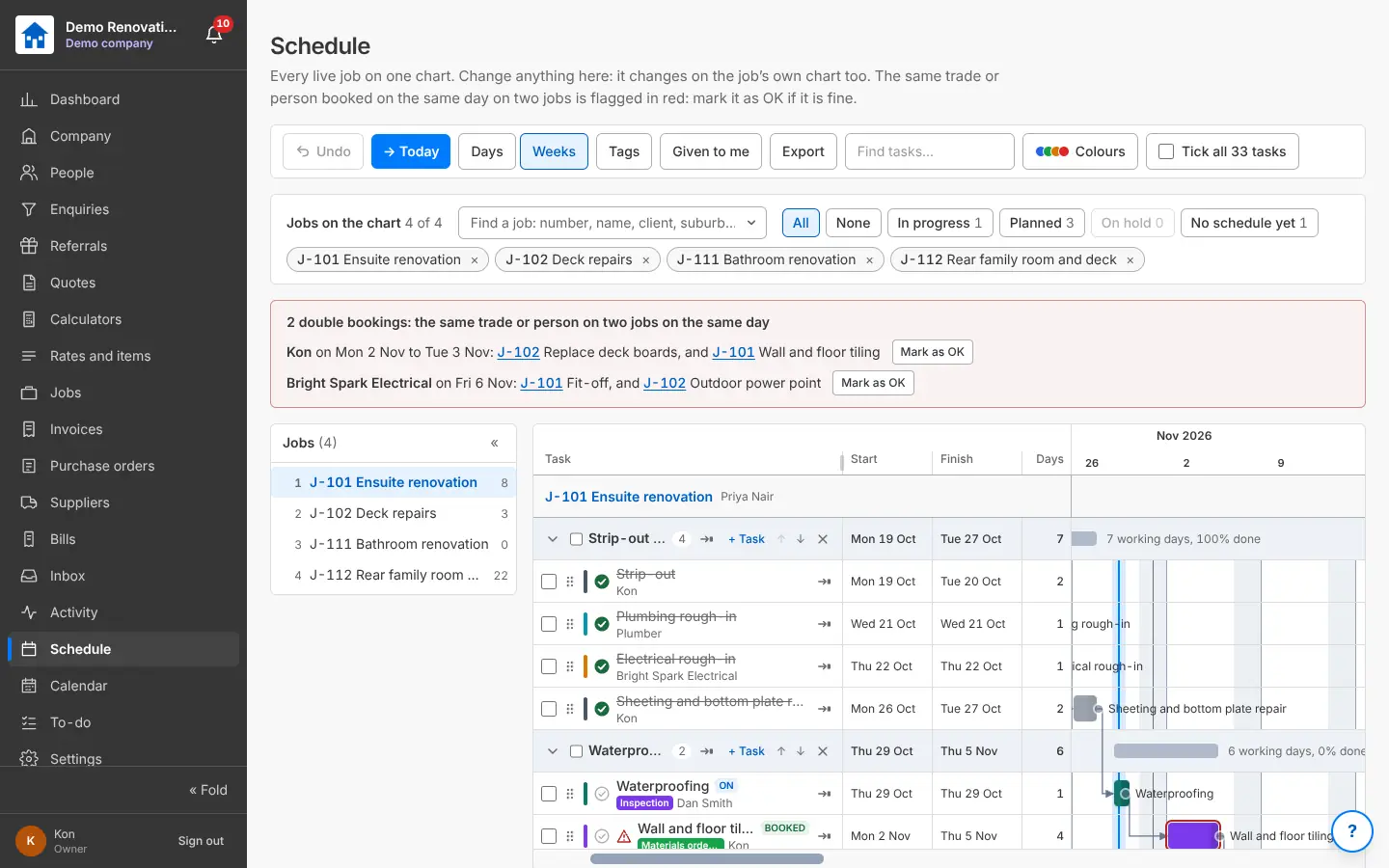
Phases and tasks with start, finish and working days; drag to move or stretch; link tasks so the ones after follow; your own colours and tags; typical tasks; find, tick many and change them together; Undo. Every job on one chart, with the same trade or person on two jobs on the same day flagged in red. Export as a PDF for the client, a list per trade, a spreadsheet or a calendar file.

Why it helps: A programme you can show the client and the trades, and change in seconds.

In Better Reno: Side menu → Schedule · a job → Schedule

Guide: “The Schedule” (Guides in the menu, or the ? on the screen)

Better Reno takes care of

  • Moves every linked task after the one you move (or only that one, if you say).
  • Skips weekends, public holidays and your shutdowns when it works out dates.
  • Flags the same trade or person on two jobs on the same day.
  • Keeps changes asked for by the team waiting for your approval.
  • Undo, and drag past the edge of the screen: the chart scrolls by itself.
  • Exports the PDF for the client with no empty pages.
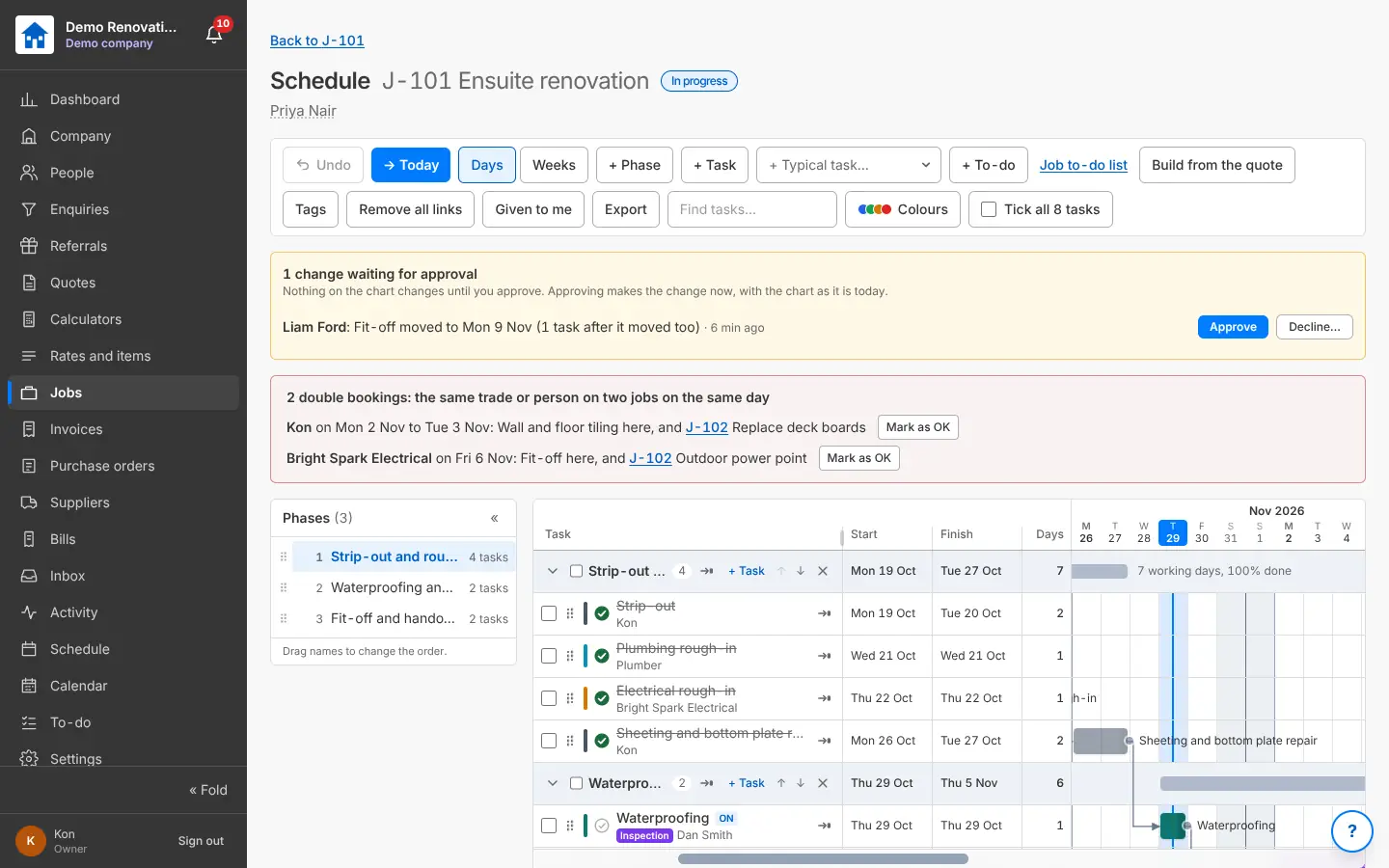
A job’s Gantt chart with phases, tasks, links and a change waiting for approval
The job’s schedule as a Gantt chart.
Every live job on one Gantt chart with double bookings flagged
Every job on one chart; double bookings show in red.

The schedule from the quote

Build the job’s schedule from its accepted quote: a task per section, per price-list task or per labour line, with your usual days and the gaps to wait (curing, drying). Change anything before it goes on the chart.

Why it helps: A first programme in a minute, from the quote you already built.

In Better Reno: A job → Schedule → Build from the quote

Better Reno takes care of

  • Makes the tasks from the quote’s sections, tasks or labour lines.
  • Uses your usual days for each task and the gaps to wait (curing, drying).
  • Puts them one after another on working days, linked, ready to drag.

The Calendar

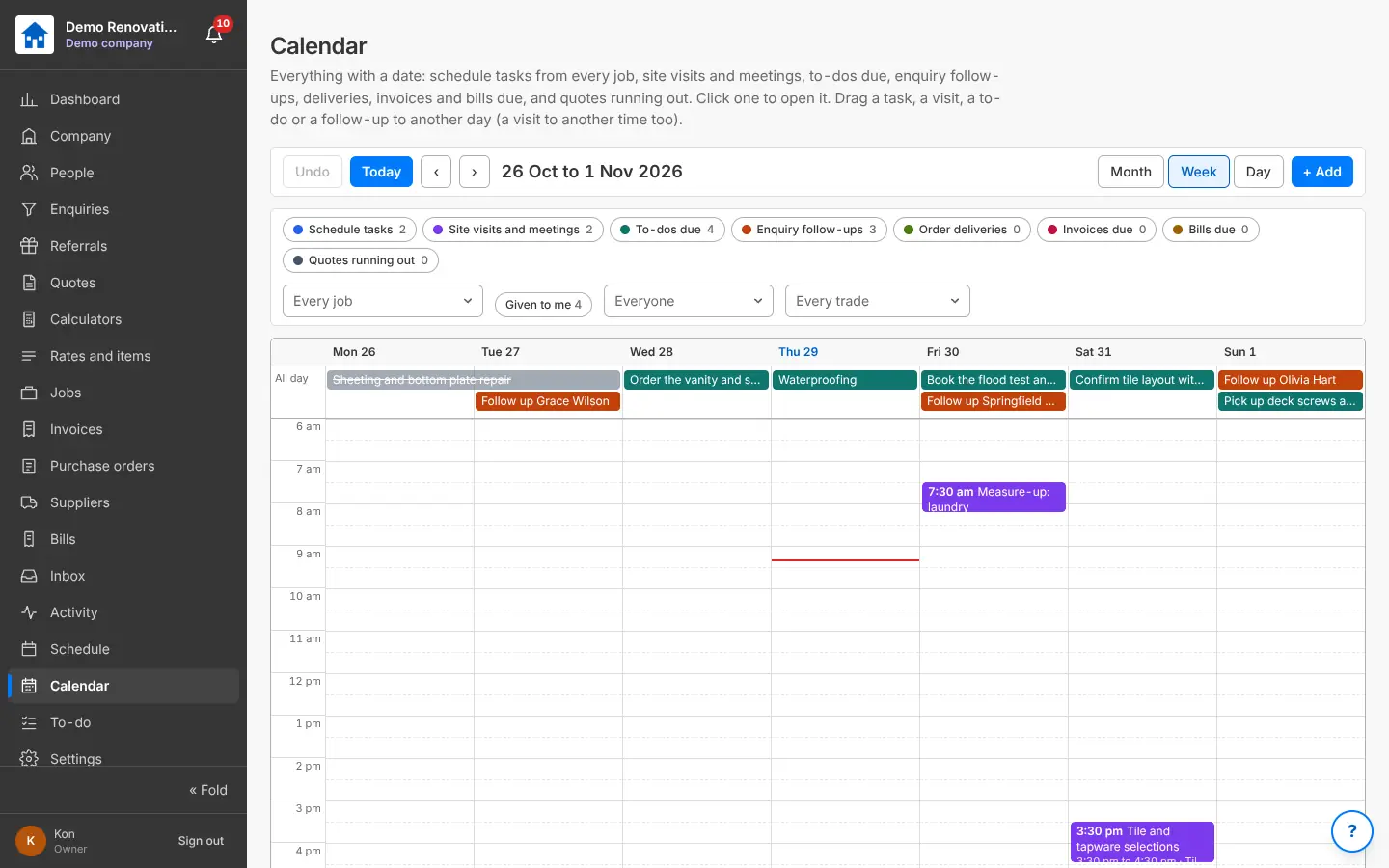
Everything with a date in month, week or day: schedule tasks, site visits and meetings, to-dos due, follow-ups, deliveries, invoices and bills due, quotes running out. Drag one to another day or time; book a site visit; filter by job, person or trade; Given to me.

Why it helps: Your week at a glance, office and site together.

In Better Reno: Side menu → Calendar

Better Reno takes care of

  • Gathers everything with a date from every job and the office into one place.
  • Moves a task’s linked tasks with it when you drag it to another day.
  • Shows each person what is given to them.
The Calendar week view with schedule tasks, site visits, to-dos and follow-ups
The Calendar: everything with a date, drag to move it.

Shutdowns and public holidays

Queensland’s public holidays worked out for you, the Christmas shutdown and your own days off: the schedule skips them when it works out dates.

Why it helps: Finish dates that are real.

In Better Reno: Settings → Jobs and schedule → Shutdowns and public holidays

Better Reno takes care of

  • Works out Queensland’s public holidays every year, Easter and the show day included.
  • Shades days off on the chart and the Calendar.
  • Repeats your Christmas shutdown every year.

Changes waiting for approval

Give a role the right to ask for schedule changes rather than make them: their change waits on the chart and in your bell until someone approves or declines it (with a reason).

Why it helps: The team keeps the programme up to date without it running away from you.

In Better Reno: A job → Schedule → changes waiting

Better Reno takes care of

  • Holds the change on the chart until someone approves or declines it.
  • Tells you in the bell, and tells the person the answer.
  • Keeps the reason when a change is declined.

Would Better Reno suit your business?

Better Reno is used by invited builders for now. Email us about your business and we will set you up with your own company (and a demo to try it on).

Ask for an invite

Opens an email to [email protected]. Nothing is kept on this page.