Jobs

An accepted quote becomes a job with a budget you can trust.

The job

Made from the accepted quote in one click: the contract and the budget are locked from it, the client, site, team and files come along. Status (planned, in progress, on hold, completed), the team on the job, its orders, bills, quotes from suppliers, progress claims, schedule, selections, to-dos and history, on one page with a quick list down the side.

Why it helps: One page for the whole job, for everyone on it.

In Better Reno: Side menu → Jobs

Guide: “Jobs” (Guides in the menu, or the ? on the screen)

Better Reno takes care of

  • Locks the job’s budget from the accepted quote: the only way to change what the client pays is a variation.
  • Brings the client, site, take-off, files, product links and selections across from the quote.
  • Offers to build the schedule and to add the quote’s products to the selections the moment the job is made.
  • Shows each person on the team only the jobs they are on.
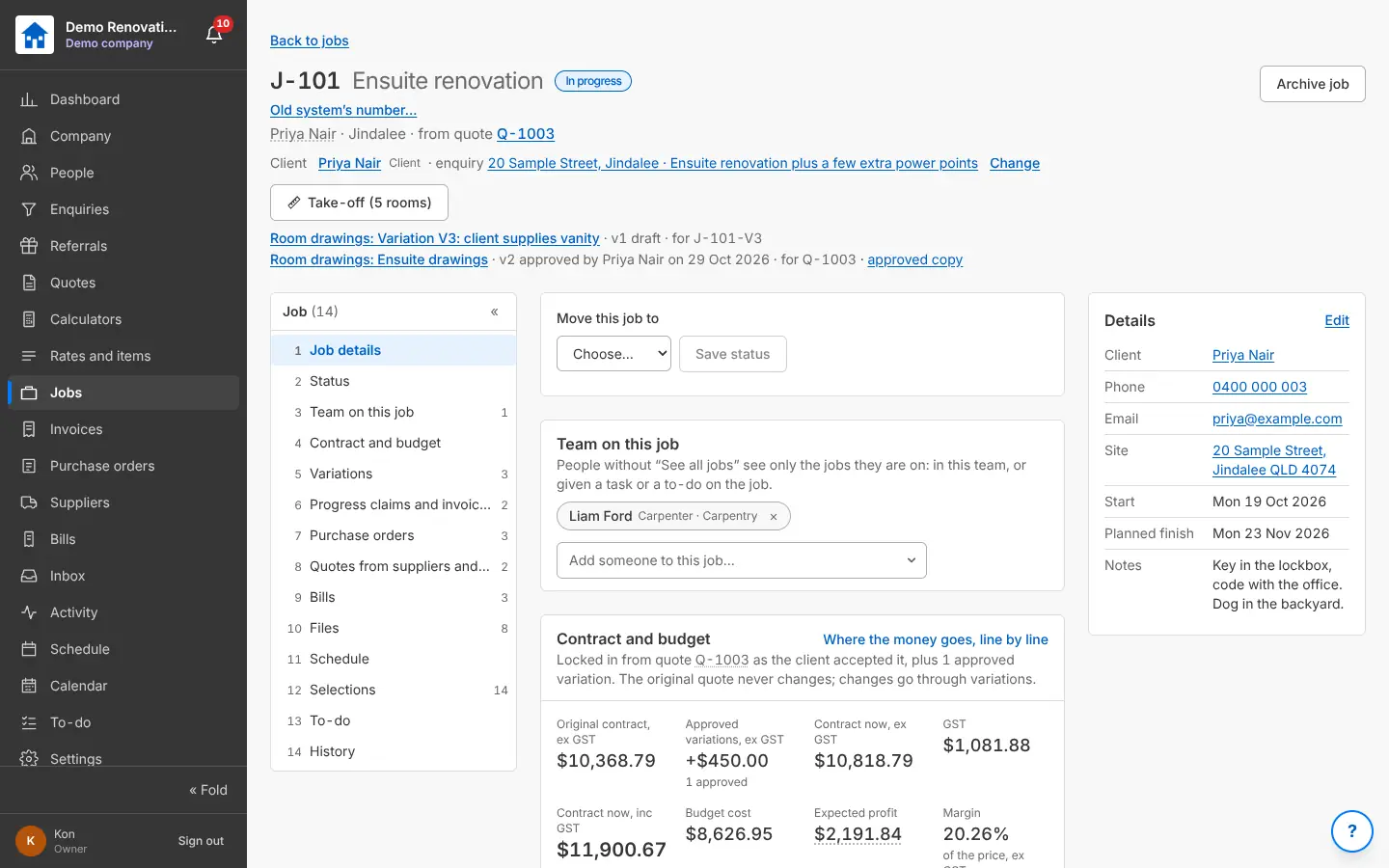
A job: status, team, contract and budget, the job’s list of parts
A job: its budget locked from the accepted quote.

Variations

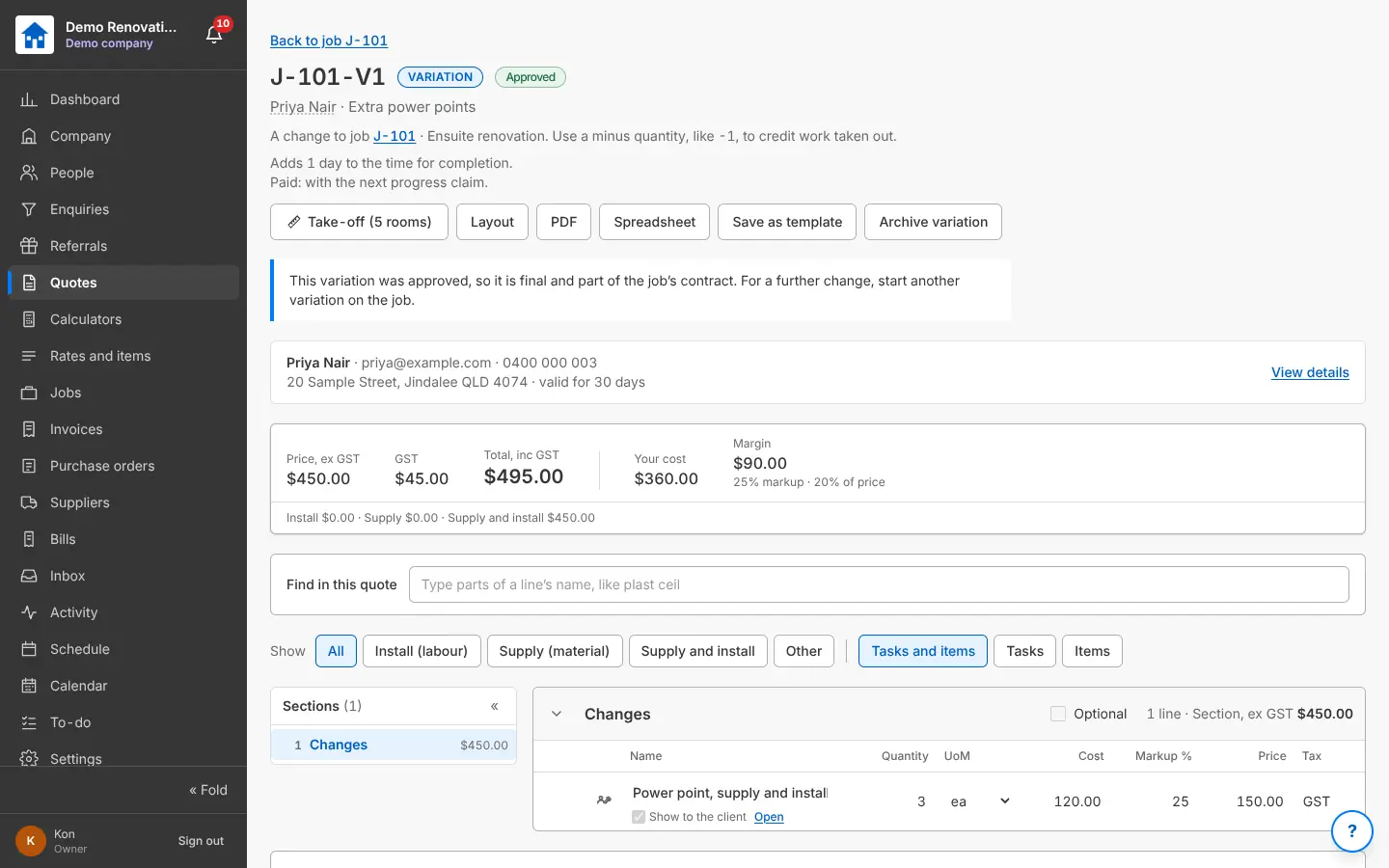
A change to the job is a variation, priced like a quote (with credits for work taken out), sent to the client and approved on their link. Approved variations add to the contract and the budget, and can be claimed on the next progress claim.

Why it helps: Every extra is priced, approved and paid for.

In Better Reno: A job → Variations → New variation

Better Reno takes care of

  • Prices a variation from your price list like a quote, with credits for work taken out.
  • Adds an approved variation to the contract and the budget, and offers it on the next progress claim.
  • Locks an approved variation for good.
  • Gives a variation its own set of room drawings.
An approved variation with its price, cost and margin
A variation: priced like a quote, approved by the client.

Selections

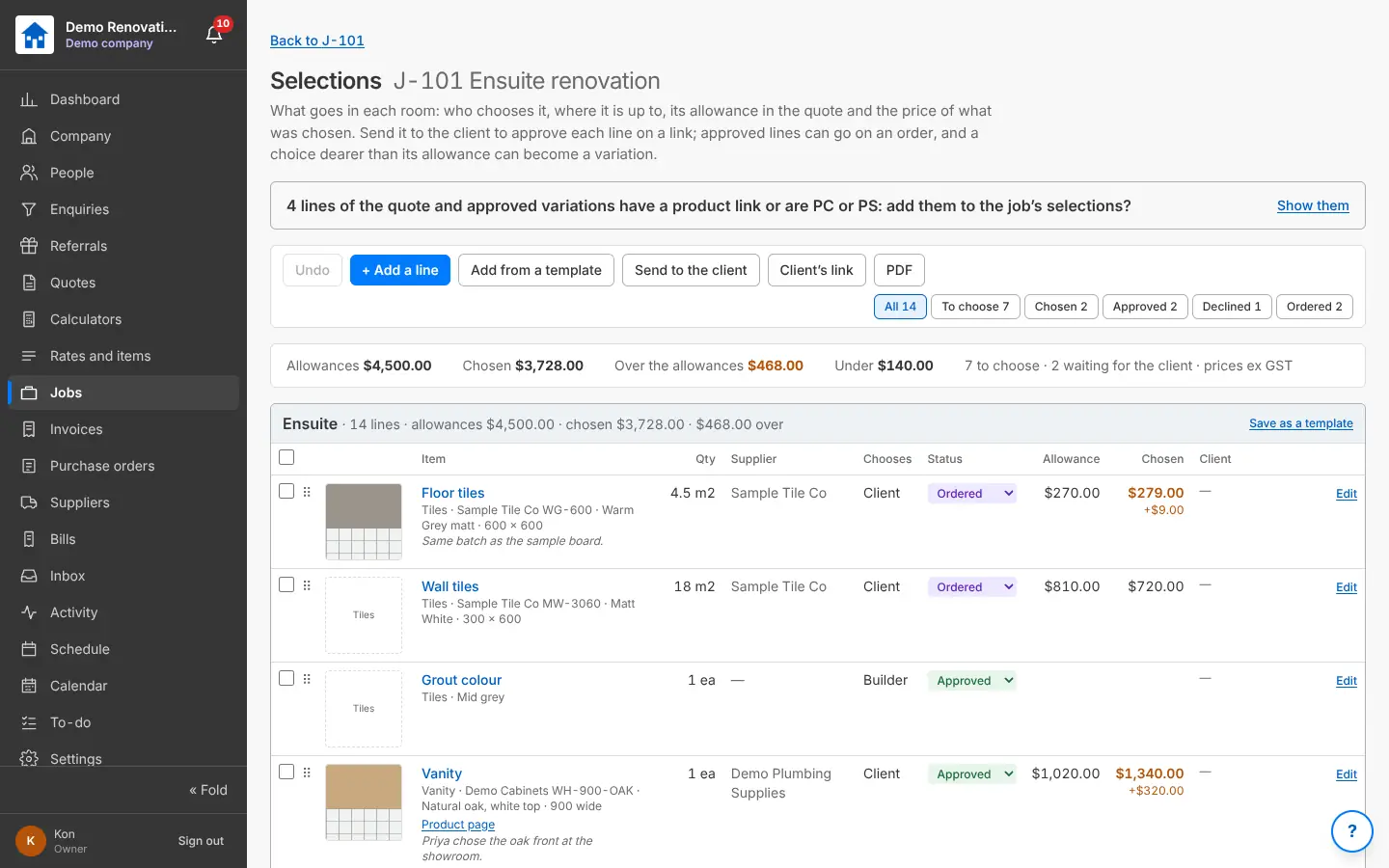
What goes in each room (tiles, tapware, vanity, colours): who chooses it, the allowance and what was chosen, with pictures and product links. Send them to the client to approve line by line; turn approved lines into an order, or upgrades into a variation.

Why it helps: No arguments about what was picked, and allowances that go over are caught early.

In Better Reno: A job (or a quote) → Selections

Better Reno takes care of

  • Adds up allowances against what was chosen, room by room, and flags anything over.
  • Turns ticked lines into a purchase order, or upgrades into a variation, in one click.
  • Fills a line from its product link: name, brand, code, picture.
  • Records each answer from the client, and starts from your own selection templates.
The job’s selections with pictures, allowances, chosen prices and status
Selections: what goes in each room and who chooses it.

The job’s money, line by line

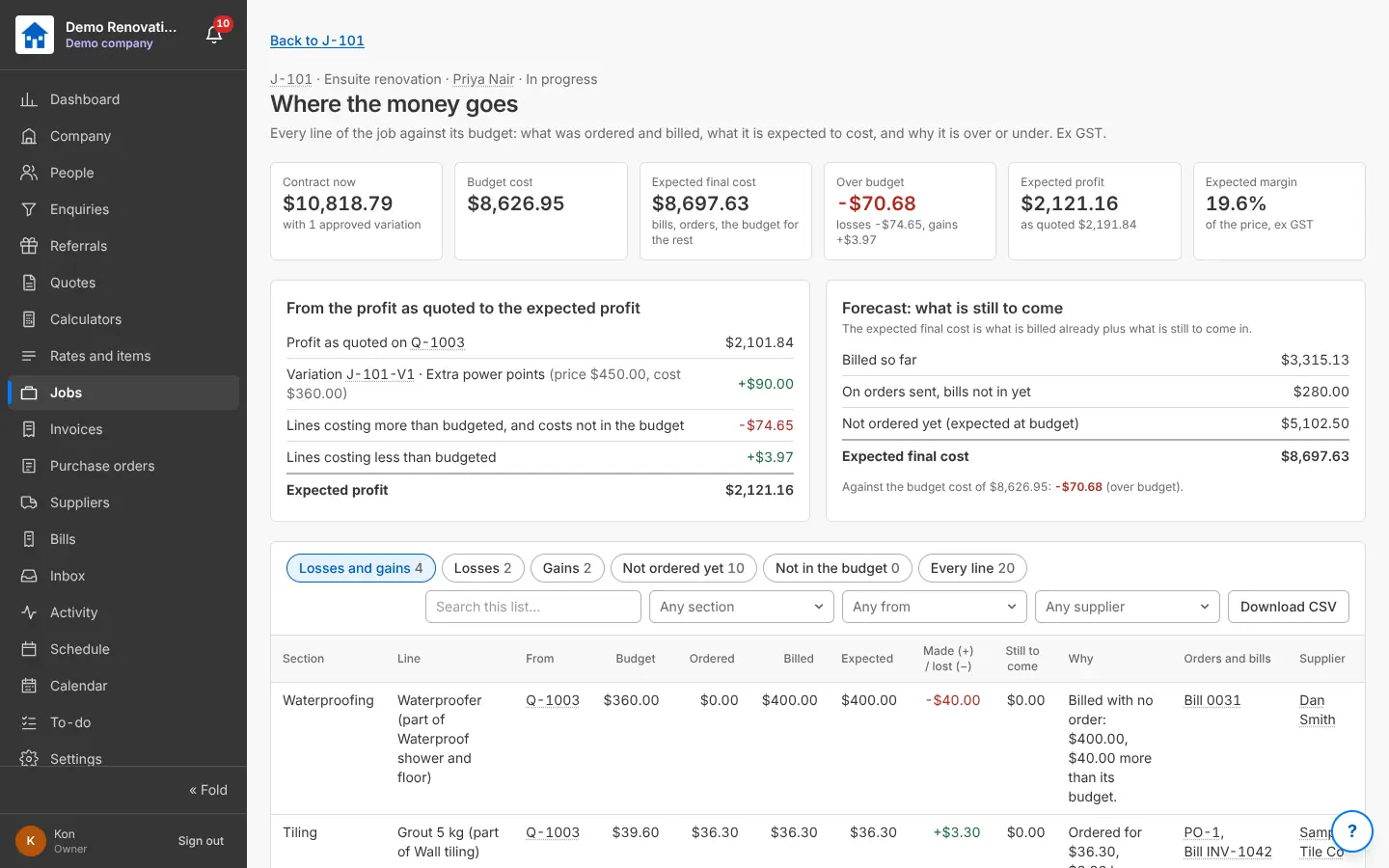
Every line of the budget against what was ordered and billed: what each is expected to cost, and why it is over or under. Profit as quoted, the variations, the losses and gains, and the expected profit and margin.

Why it helps: You see a job going over while you can still do something about it.

In Better Reno: A job → Where the money goes, line by line

Better Reno takes care of

  • Matches every budget line to what was ordered and billed, by itself.
  • Explains why each line is over or under, in words.
  • Works out the expected profit as the job goes, not only at the end.
Where the money goes: contract, budget, expected final cost, over budget and profit
A job’s money, line by line: ordered, billed, over or under.

Would Better Reno suit your business?

Better Reno is used by invited builders for now. Email us about your business and we will set you up with your own company (and a demo to try it on).

Ask for an invite

Opens an email to [email protected]. Nothing is kept on this page.